Skip to content

Compress PDF for Online Forms & Portals

Meet strict file size requirements for government portals, job applications, visa submissions, and university admissions without blurry text or rejected uploads.

Your files are never uploaded to our servers — all compression happens right inside your browser

Drop your PDF files here

or pick several files at once from your device

Choose PDF files

Navigating Strict Online Portal File Size Caps

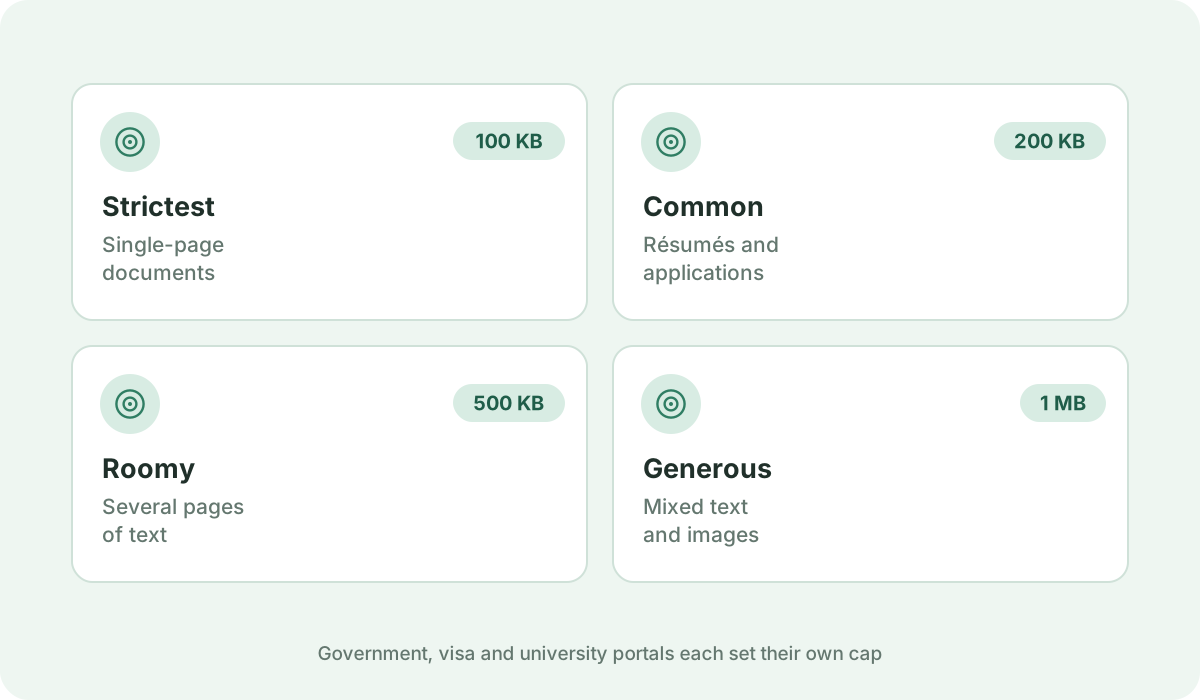
Government recruitment portals, tax authorities, passport services, visa applications, and corporate applicant tracking systems (ATS) frequently enforce hard file size ceilings. Typical cutoffs include 100 KB, 200 KB, 500 KB, or 1 MB. If your PDF is even one byte over the limit, the form blocks your submission.
Retaining Crisp Text & Legible Signatures

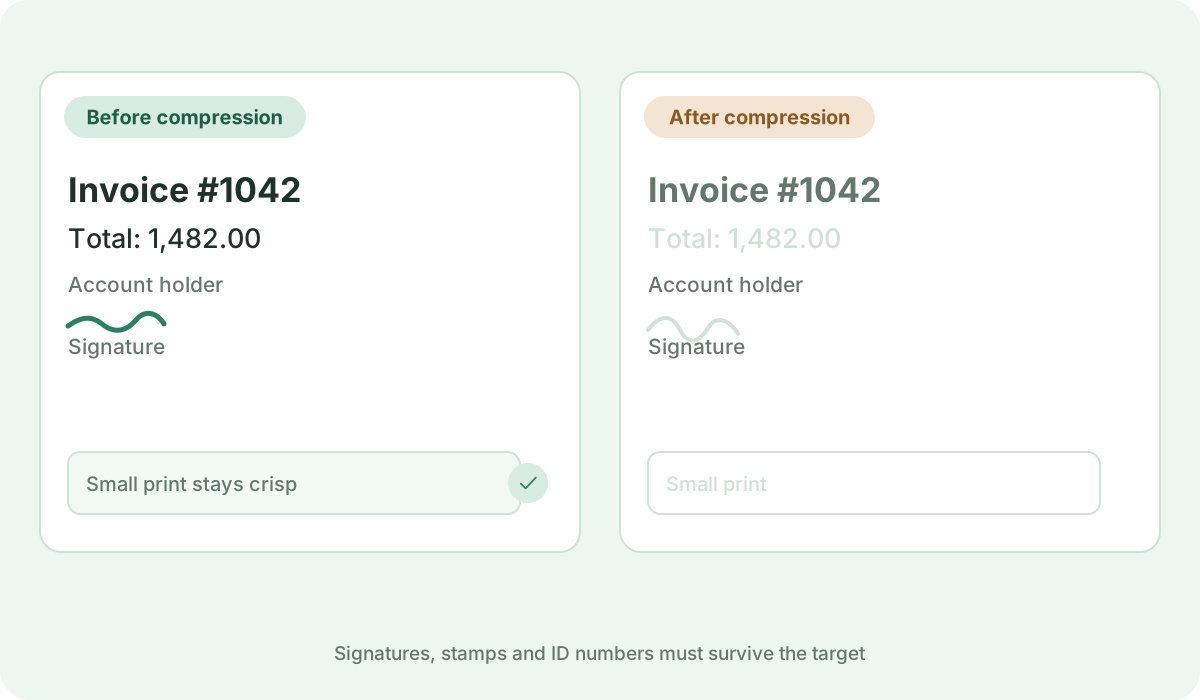
The biggest danger when compressing documents for official portals is rendering signatures, passport photographs, or official stamps unreadable. Our compression engine optimizes image encoding while preserving critical high-contrast edges, ensuring administrative reviewers can verify every detail.

Multi-Pass Target Size Matching

Instead of guessing with manual quality sliders, choose an exact size target matching your portal's restriction (such as 200 KB or 500 KB). The engine tests multiple resolution passes to produce the highest possible visual clarity that remains strictly under the portal's ceiling.

Guaranteed Privacy for Sensitive Personal Identification

Application files typically contain National ID cards, Social Security numbers, bank statements, and tax returns. Because our tool runs locally on your machine, your identity documents are never uploaded to our servers or stored in cloud databases.

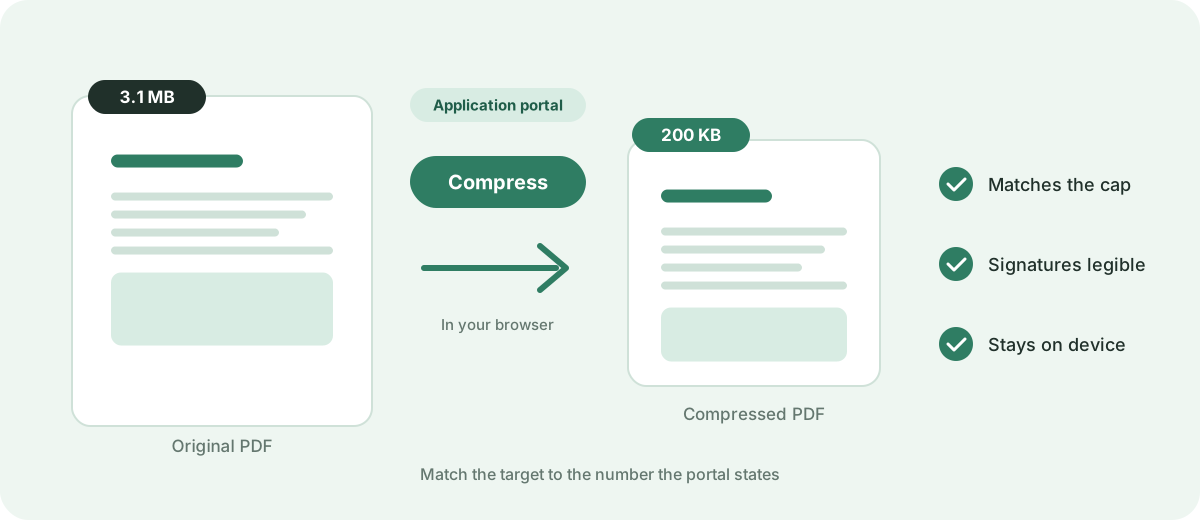
A 3.1 MB application PDF compressed to 200 KB for a portal upload
One byte over the cap and the form refuses the file.
Portal upload caps of 100 KB, 200 KB, 500 KB and 1 MB
Match the target to the number the portal states.
A signature line and small print still legible after compression for a portal
Check the details an administrator will look for.

Frequently asked questions

Why do government and job portals have such small PDF limits?

Portals processing millions of applications limit file sizes to conserve server storage, minimize backup costs, and prevent database timeouts during peak registration periods.

What should I do if the portal requires my PDF to be under 200 KB?

Use our dedicated 'Compress PDF to 200 KB' tool. It will automatically test browser-side compression settings to bring your document below 200 KB while retaining legibility.

Will the applicant tracking system (ATS) still read my resume text?

No. The compressor rasterizes pages into optimized JPEG images to reach small file sizes, so digital text layers and fonts are not preserved. Text cannot be selected, searched, or parsed by ATS screeners. If ATS readability is required, export your CV directly from your word processor with lower image resolution rather than rasterizing.

Sources & further reading

Standards, official documentation, and technical references behind the guidance on this page.