Compress PDF to 2 MB
Need a PDF at or under 2 MB? Compress it in your browser — no desktop software and no file to send anywhere first. The tool aims for 2 MB and tells you whether it got there.
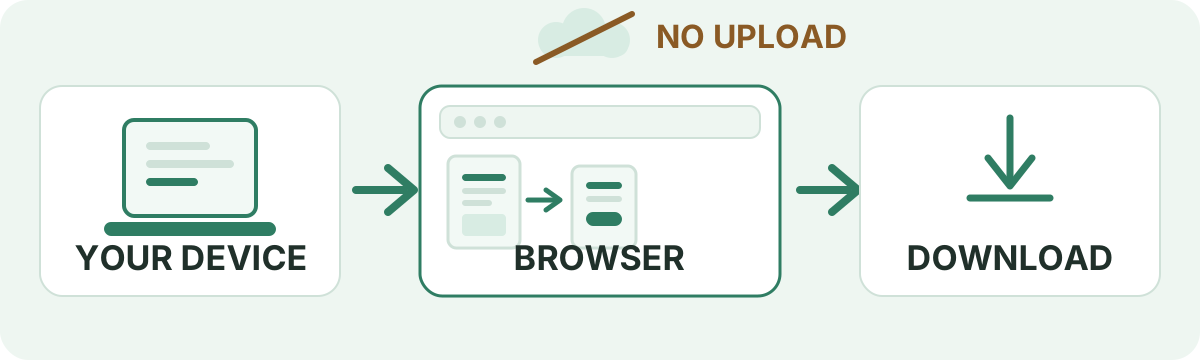
Your files are never uploaded to our servers — all compression happens right inside your browser
Drop your PDF files here
or pick several files at once from your device
Choose PDF files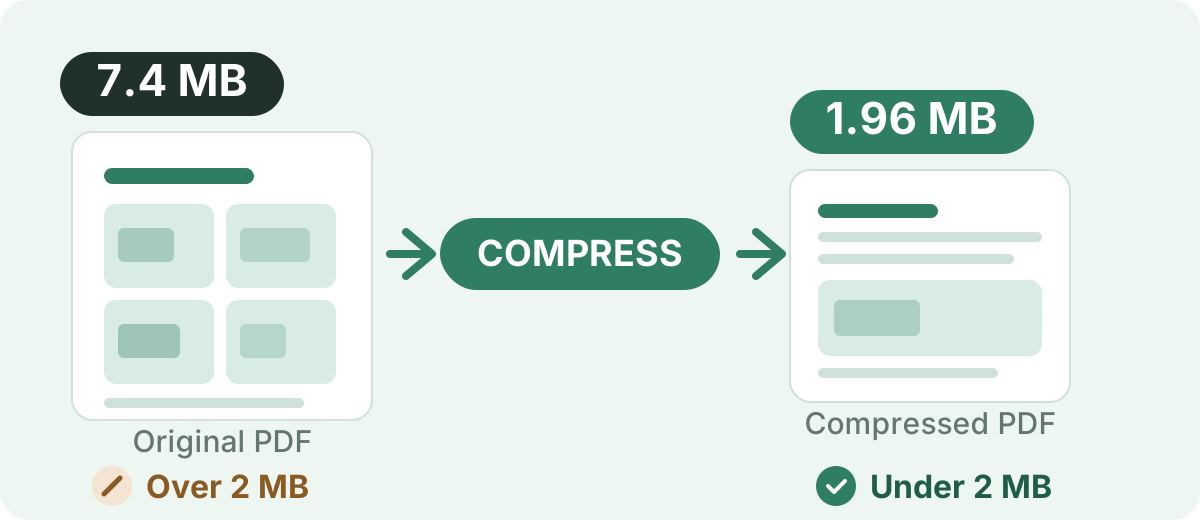
Free, local and preset to 2 MB
Free to use
No subscription, no credit card and no watermark stamped into the result.
No sign-up
Open the page and start. There is no account to create before you compress.
Runs in your browser
The rendering and the rebuild happen on the device you are using right now.
No upload step
The PDF is not sent to a server to be processed, so there is no transfer to wait for.
2 MB target, already set
This page fixes the target at 2 MB and reports whether the result reached it.
Several files at once
Add more than one PDF, compress the batch, then download all results together as a ZIP.
How to Compress a PDF to 2 MB
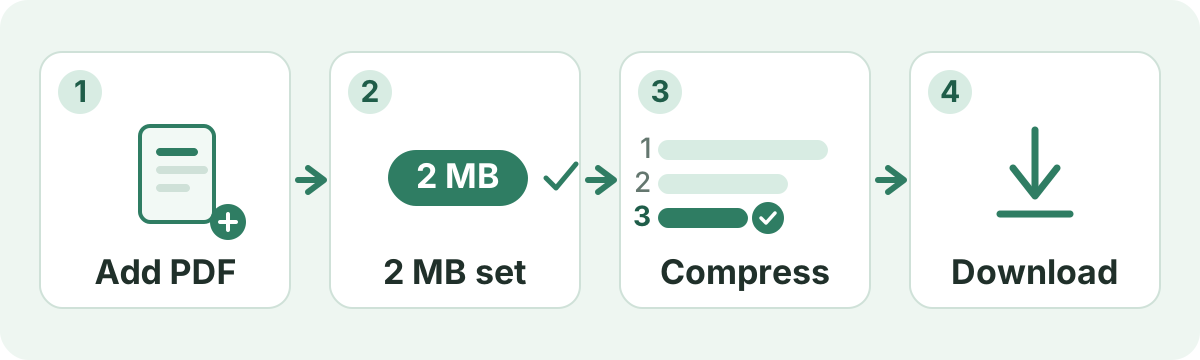
The 2 MB target on this page is already chosen, so there is nothing to configure. Four steps, and the last one matters most.
- 1
Add your PDF
Drop the file into the box above or tap it to pick a PDF from your device. Add several at once if you have a batch.
- 2
Leave the 2 MB target as it is
Target pages do not show quality presets. The tool works straight toward 2 MB.
- 3
Start compression
Press compress. The engine runs passes from gentle to aggressive and keeps the first one that fits under 2 MB.
- 4
Download and check the result
Read the reported final size and the “Target reached” note, then open the PDF and look at the pages that matter.
What Does “Compress PDF to 2 MB” Mean?
A PDF “weighs” 2 MB when the file occupies about two megabytes of storage, and a request to hit that number almost always comes from somewhere else: a form field that prints a maximum size, a dropbox that refuses large attachments, or a mail server that bounces them. The receiving service sets the ceiling. It is not a property of PDF files in general, and 2 MB is not a standard that every website uses — plenty of portals allow far more, and plenty allow less.
Two practical details sit underneath that. First, “2 MB” and “under 2 MB” are not the same instruction. Sites write the limit two different ways: 2,000,000 bytes in some places, 2,097,152 bytes (2 × 1024 × 1024) in others. This page aims at 2,097,152 bytes, so a result that lands right on the line can still be refused by a checker using the smaller decimal figure. When a portal's wording is strict, aim at a target with margin — 1.5 MB here, or 1 MB — so you are not sitting on the boundary. Second, if your PDF is already smaller than the limit, there is nothing to fix: a file does not need to be grown to “reach” 2 MB, and this tool hands back an already-qualifying file untouched rather than recompressing it for no reason.
Can I Compress a PDF to 2 MB?
In many cases, yes, and 2 MB is usually a gentler ask than 1 MB because the engine can often stop at an earlier pass. How far a particular file can fall still depends on what is packed inside it:
- How many pages the document runs to
- Whether the pages are real text or photographs of pages
- The resolution of embedded photos and screenshots
- How much detail charts, maps and technical drawings hold
- Which fonts are embedded, and whether whole font files came along
- How the file was exported, and whether it has already been optimized
That is why the same target is easy for one document and hard for another. A 2.5 MB report with two page photos is a light adjustment. A 20 MB booklet of full-resolution colour scans is a different problem: it may reach 2 MB, or it may come back at 3 MB as the smallest file the engine could build without wrecking the pages.
From a larger PDF down to 2 MB
A rough read on how much work the compression has to do — not a promised ratio. Two files of identical size can behave very differently once you look at their contents.
| Original size | Target | General difficulty |
|---|---|---|
| 1.2 MB | 2 MB | Already below the target |
| 2.5 MB | 2 MB | Small reduction |
| 5 MB | 2 MB | Moderate reduction |
| 10 MB | 2 MB | Larger reduction |
| 20 MB or more | 2 MB | Depends heavily on content |
How the Engine Works Toward a 2 MB Target
Knowing what the tool actually does makes its output easier to read. On this page the target is fixed at 2 MB, and the work runs like this:
- Each page is rendered inside your browser tab, re-encoded as an image, and assembled into a new PDF.
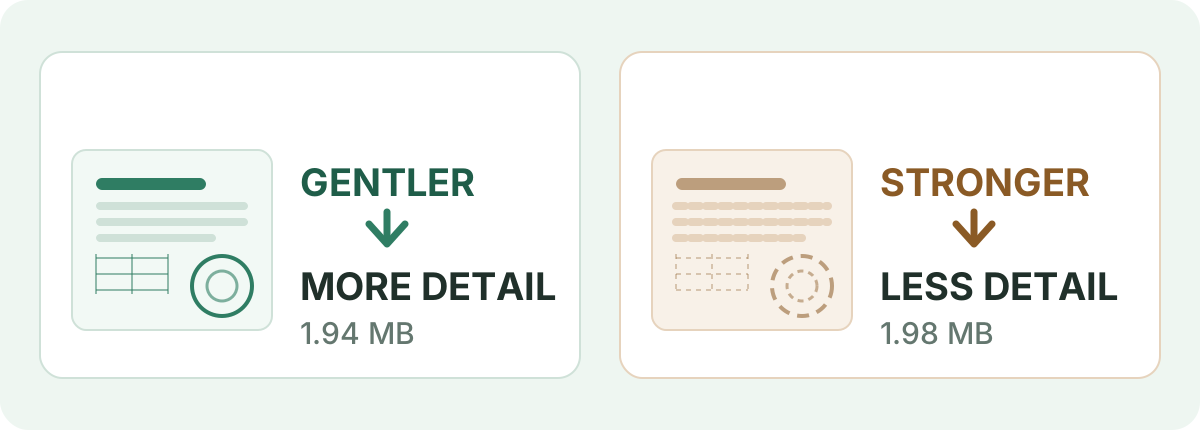
- It starts with the gentlest setting and steps down to more aggressive ones, keeping the first pass that fits under 2 MB.
- A document that is already under 2 MB is returned unchanged.
- If no pass reaches the target, you get the smallest file it could build, and the result row says “Target not reached”.
- Re-drawing a text-only page as an image can make a file bigger, so the tool compares its work against a plain re-save and keeps the smaller of the two. The result is never larger than the file you started with.
One consequence is essential to understand before you submit the result: every page is re-rendered as an image, so text is not selectable or searchable, and ATS or OCR-less parsers cannot read it. The only exception is if the compressed result would be larger than the original file, in which case the original file is returned unchanged.
Will Compressing a PDF to 2 MB Reduce Quality?
It depends on the file and on how much space has to be recovered. Typed text and line art are cheap to store, so a text document usually looks the same after compression. Photographs and scans carry the weight, and that is where stronger passes show. With twice the byte budget of a 1 MB target, 2 MB often lets the engine stop at a gentler pass — which is why photo-bearing documents usually look their best at 2 MB rather than squeezed into 1 MB. When a document does have to be pushed harder, the loss shows up in the small details, so open the result and zoom in on:
- Footnotes, captions and page numbers set in small type
- Signatures, seals and rubber stamps
- Tables with thin rules or narrow columns
- Charts, maps and technical drawings
- Photographs, especially full-page ones
What Makes a PDF File Large?
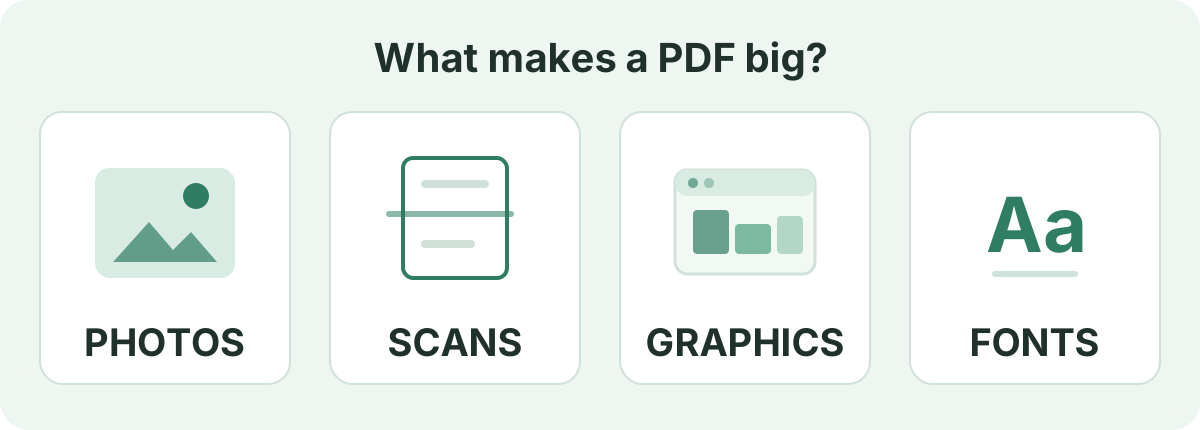
A PDF is a container, and its size is whatever has been packed inside it. A handful of things usually account for most of it:
- Photographs kept at their original camera or print resolution
- Scanned pages, each stored as a full-page picture
- Screenshots and exported graphics placed straight onto the layout
- Embedded font files rather than the subset of characters actually used
- Blank, duplicate or draft pages nobody deleted
- Layered vector artwork, gradients and drop shadows
How to Get a PDF Under 2 MB
The compressor can only work with the content it is given, so a little tidying in the source document often does more than a second round of compression:
- Delete pages you do not need — do this in your PDF editor first, because the compressor keeps every page it is handed
- Re-export photographs at screen resolution instead of print resolution
- Crop wide margins and empty page areas so each page carries less
- Rescan in grayscale or black and white when colour adds nothing
- Compress once, read the reported size, and only then lower the target
- If it is still over, try 1.5 MB or 1 MB to give the engine more room, or split a long file into two
Compressing a Scanned PDF to 2 MB
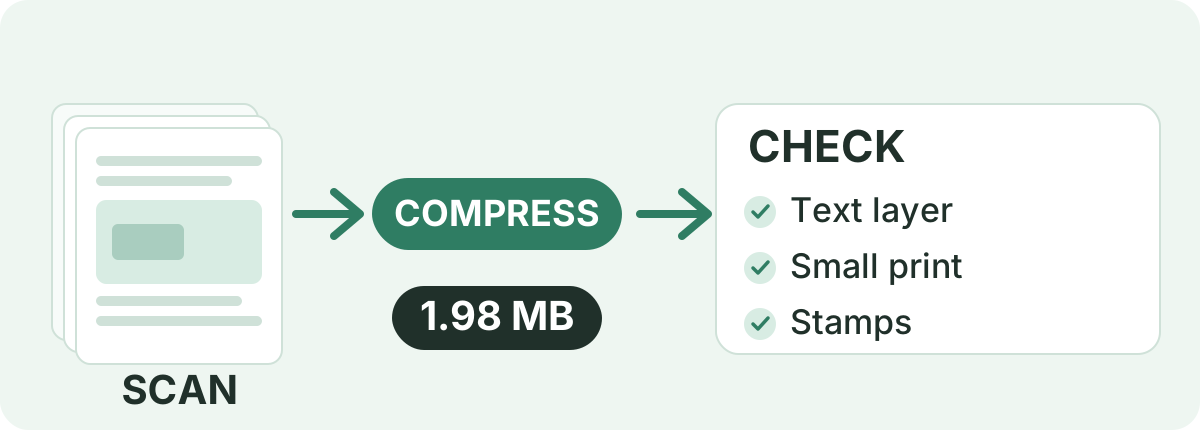
Scans are the least predictable documents to shrink. Every page is a photograph rather than text, so a short scan can be enormous while a long typed report stays tiny. A 2 MB target is often reachable for a handful of pages; a full booklet of high-resolution colour scans may need a smaller target, fewer pages, or both. Before you rely on the result, check:
- Whether the scan had a searchable text layer, because re-drawing the page as an image does not preserve it
- Handwriting, faint pencil and small print
- Signatures, stamps and seals — the parts that carry legal weight
- Table rules and page numbers that can blur into the background
- Whether grayscale rescans would serve: colour data costs bytes a black-and-white page does not spend
Why Is My PDF Still Larger Than 2 MB?
When the result row says “Target not reached”, that is information rather than a failure. It means the document could not lose that much data without being damaged. The usual reasons:
- Many pages of photographs or full-page scans
- Very high original image resolution
- Detailed maps, technical drawings or layered graphics
- A file that was already optimized before you started
- A long document where every page adds to the total
What helps next: remove pages you do not need, re-export at a lower resolution, rescan in grayscale, or set a smaller target such as 1.5 MB or 1 MB. Splitting a long scan into two files often gets both under a per-file ceiling that one large document could not reach. If none of that works, the file is close to its practical minimum, and the honest options are to send it as it is or share it another way.
Compress PDF to 2 MB on Mobile
No app is needed for this. Open this page in Chrome on Android or Safari on iPhone and:
- Tap the upload box and choose the PDF from Files, Downloads or your cloud drive
- Leave the 2 MB target as it is and press compress
- Keep the tab open while it works — a long scan takes noticeably longer on a phone
- Download the result, then check its size before you attach it to the form
The compression runs in the browser on the phone itself, so the same file that works on a laptop works here with nothing installed and nothing sent to a server first.
Is It Private to Compress a PDF to 2 MB Here?
With this tool your document is not uploaded. The PDF is read into the browser tab, re-drawn and rebuilt on your own device, and handed back as a download — no account, no processing queue, and no copy on a server that has to be deleted later. Closing the tab drops the file from memory.
That is the part that matters for identification papers, contracts, statements and medical records. You can confirm it yourself: open your browser's developer tools, switch to the Network tab, and compress a file — the PDF does not appear in it as an upload. The site is served over HTTPS, so the page itself arrives encrypted like any other web page you load.
When Should You Aim for 2 MB?
2 MB earns its place when a document has real image content but still has to travel through a size check:
- An online form or portal that prints a 2 MB maximum on the upload field
- A school or university assignment dropbox with a per-file cap
- A job application carrying a CV plus a portfolio, transcript or certificate scans
- A photo-bearing report that would look cramped squeezed into 1 MB
- An email attachment, where the message adds its own overhead around the file
- Sending a document over a slow or metered mobile connection
None of that makes 2 MB a rule. Limits belong to the service receiving your file, and they vary widely. Follow the number printed on the form you are filling in, and leave a little margin underneath it instead of landing exactly on the line.
Ready to compress your PDF to 2 MB?
Add your file at the top of the page — the 2 MB target is already set. Compress it, read the reported size and the “Target reached” note, then open the PDF and check the pages that matter before you submit.
Compress a PDF to 2 MBFrequently asked questions
How do I compress a PDF to 2 MB?
Add your PDF to the tool at the top of this page, leave the 2 MB target as it is, and press compress. When it finishes, read the final size shown next to the file and the “Target reached” note before you download.
Can I compress a 5 MB PDF to 2 MB?
Often yes. A 5 MB file with photographs or scans in it usually has enough image data to give the engine room to work. A 5 MB document that is mostly typed text has less to lose, so it can land above 2 MB — in which case the result says so.
Can I compress a 10 MB PDF to 2 MB?
That is a larger reduction and it depends heavily on content. Image-heavy files frequently reach 2 MB; a long scan at very high resolution may not. The engine returns the smallest file it can build, so you can see how close it got and decide whether to trim pages or try a smaller target.
What happens if my PDF is already under 2 MB?
The tool returns the file as it is, without recompressing it. There is no benefit in making a smaller document even smaller just to hit a target, and no need to.
Is “2 MB” the same as “under 2 MB”?
Not always. Some services mean 2,000,000 bytes and others mean 2,097,152 bytes. This page aims at 2,097,152, so a result sitting right on the line can still be rejected by the stricter reading. When a portal's wording is firm, choose a target with margin, such as 1.5 MB.
Will compressing a PDF to 2 MB reduce quality?
It depends on the document. At a 2 MB target, the engine can maintain high render resolution so text remains crisp and readable, though pages are rasterized into images. Photographs and dense scans may see subtle compression softening. A 2 MB target often lets the engine stop at a gentler pass than a 1 MB target would allow.
Can I compress a scanned PDF to 2 MB?
Scans are made of page photographs, so they have the most image data to give back — but page count and scan resolution decide the outcome. A short scan usually reaches 2 MB; a long, high-resolution colour booklet may need grayscale, fewer pages, or a smaller target. Check handwriting, signatures and stamps in the result.
Why is my PDF still larger than 2 MB after compressing?
Usually because the document cannot lose that much without visible damage: many photo pages, high-resolution scans, detailed maps or graphics, a very long file, or a PDF that was already optimized. Removing pages, re-exporting at lower resolution or splitting the file are the fixes that work.
Can I compress a PDF to 2 MB on my phone?
Yes. This page is a web page, so it works in Chrome on Android and Safari on iPhone with nothing to install. Pick the file from your device storage, let it compress, and save the result back to your files.
Will the compressed PDF still have selectable or searchable text?
No. Every page is re-rendered as an image, so text is not selectable or searchable, and ATS or OCR-less parsers cannot read it. The only exception is if the compressed result would be larger than the original file, in which case the original file is returned unchanged.
What should I check after compression?
Confirm the file size against the limit you are submitting to, then open the PDF and zoom in on the parts that carry meaning: small print, footnotes, signatures, stamps, tables and photographs. Also check page count and order, in case you meant to remove pages first.
Is 2 MB a universal PDF upload limit?
No. Upload ceilings are chosen by whoever receives your document, and they range from a few hundred kilobytes to tens of megabytes. 2 MB is a common ask on forms, assignment dropboxes and portfolio submissions, but always follow the exact figure the service states.
Are my documents uploaded to a remote server to reach this target size?
No. All target-size analysis, rasterization passes, and PDF rebuilds happen locally inside your web browser. Your private documents never leave your device.
Sources & further reading
Standards, official documentation, and technical references behind the guidance on this page.
- PDF 32000-1:2008 — Portable Document Format — Adobe / ISO
- File API — MDN Web Docs
- WebAssembly specification — W3C WebAssembly Community Group