Compress PDF for Email Attachments

Shrink large PDFs to easily send them via Gmail, Outlook, Yahoo, and corporate mail servers. Keep text sharp and stay comfortably under email attachment caps.

Your files are never uploaded to our servers — all compression happens right inside your browser

Drop your PDF files here

or pick several files at once from your device

Email Attachment Limits Across Major Providers

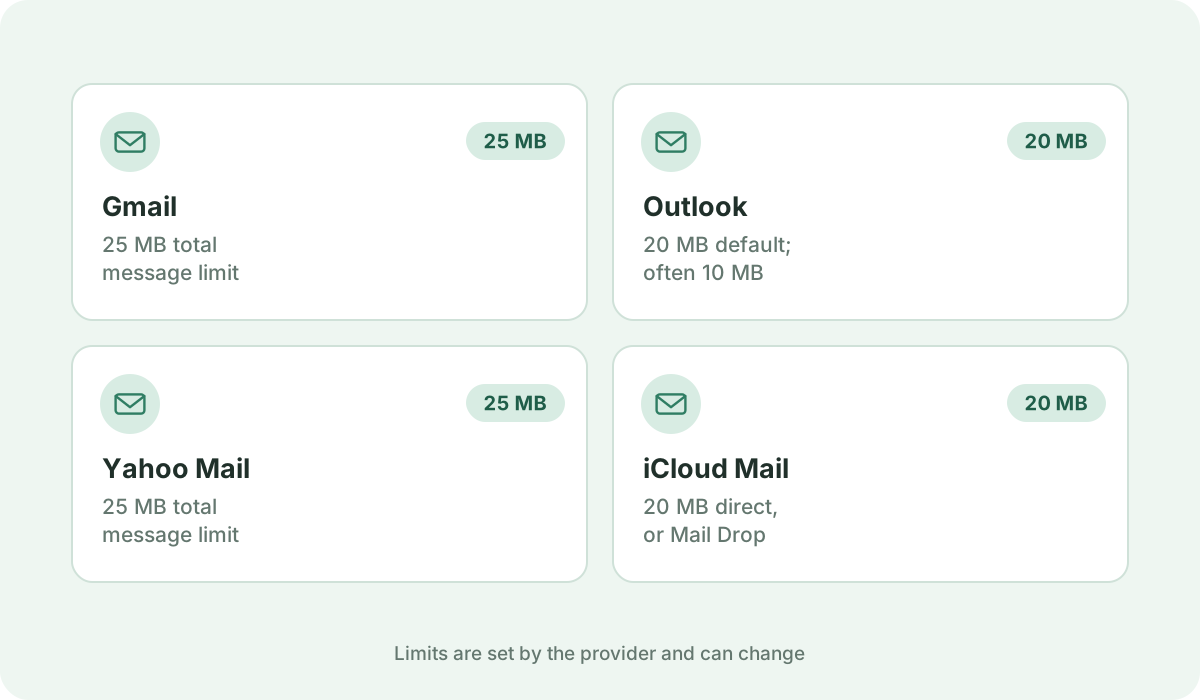
Most email providers enforce strict ceiling limits on total attachment size. If your PDF exceeds these limits, your email will fail to send or bounce back immediately:

  • Gmail: 25 MB total message limit (attachments + base64 encoding overhead)
  • Microsoft Outlook / Office 365: 20 MB default limit (some corporate exchange servers cap at 10 MB)
  • Yahoo Mail: 25 MB total limit
  • Apple Mail / iCloud: 20 MB direct attachment limit (or Mail Drop link)
The Base64 Encoding Trap

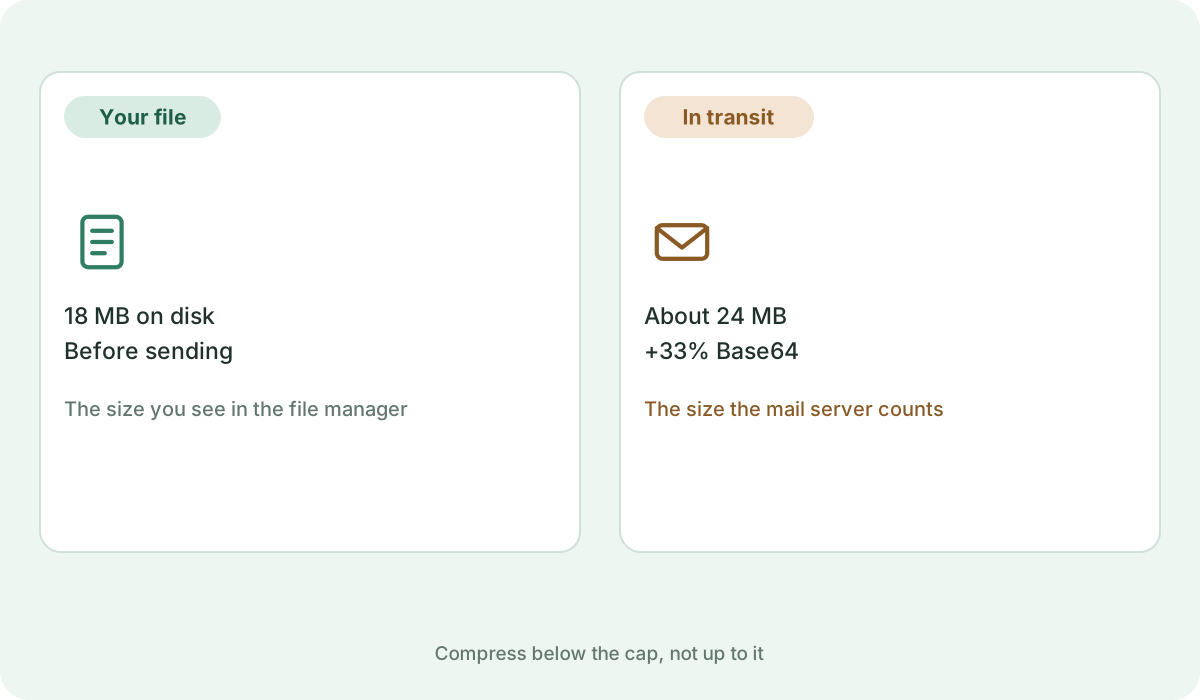
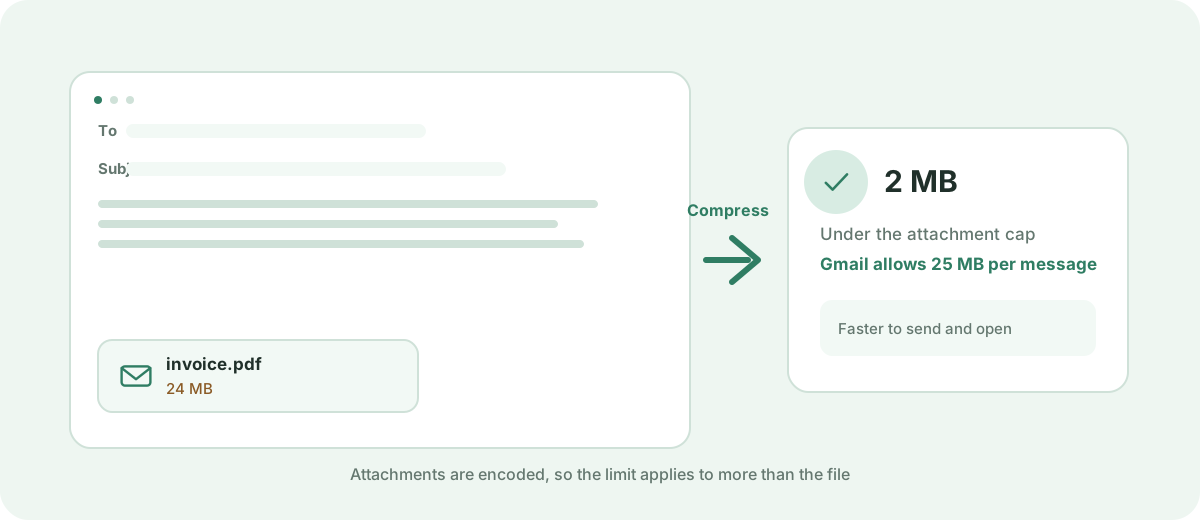
Email protocols encode binary files into MIME Base64 text, which expands file size by approximately 33%. A 20 MB PDF can easily become 26.6 MB during transmission, triggering a rejection on a 25 MB limit server. We recommend reducing email PDFs to under 10 MB — or ideally 1 MB to 3 MB for instant recipient downloads.

Recommended Compression Settings for Email

For multi-page invoices, contracts, and proposals, choose the Balanced preset. If your PDF is heavily photographic or a scanned document, the Smallest Size preset or a target size of 2 MB ensures rapid delivery without clogging the recipient's inbox.

100% Private for Confidential Invoices & Resumes

Invoices, agreements, and CVs frequently contain personal identifiers, bank account numbers, and addresses. Because Kompres PDF compresses files directly in your browser, your sensitive email attachments are never exposed to cloud servers.

Frequently asked questions

What is the maximum PDF size I can send via Gmail?

Gmail has a 25 MB limit for incoming and outgoing messages. However, due to MIME encoding overhead, any PDF larger than approximately 18–19 MB is likely to be rejected. Aim for under 10 MB for seamless delivery.

Why did my 22 MB PDF bounce on Outlook when the limit is 25 MB?

Most corporate Outlook Exchange servers enforce a 20 MB or 10 MB attachment cap. Furthermore, base64 encoding inflates file size by about 33%. Compressing the PDF to under 5 MB resolves this issue.

Will the recipient still be able to read and print the PDF?

Yes. The Balanced preset maintains crisp text and clear image resolution for reading on monitors, smartphones, and printing on standard office laser printers.