Compress PDF to 1.5 MB
Choose 1.5 MB when you want a genuine reduction without forcing the compressor as hard as a 1 MB target would. It runs in your browser, aims for the target, and tells you how close it got.
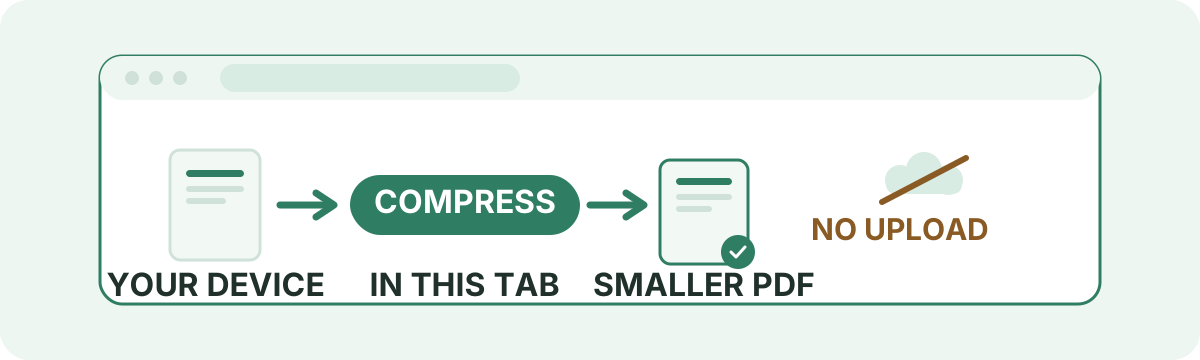
Your files are never uploaded to our servers — all compression happens right inside your browser
Drop your PDF files here
or pick several files at once from your device
Choose PDF files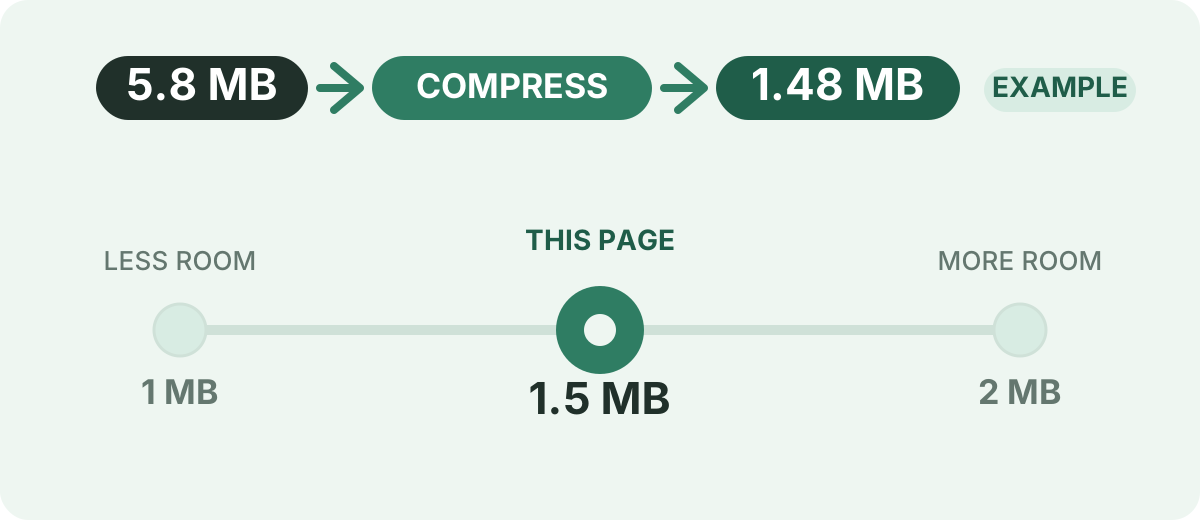
What you can do on this page
No cost
Nothing to pay, nothing to register, and no mark added to your pages.
No account
The work starts as soon as a file is chosen — no login step in front of it.
In-tab processing
Rendering and rebuilding run on your own machine, using the browser you have.
Nothing to transfer
There is no copy sent away for processing, so no waiting on an upload.
Fixed 1.5 MB ceiling
This page hands the tool 1.5 MB and reports back whether the result fits.
Whole batch at once
Queue several PDFs, run them together, and pull every result down as one ZIP.
Why Pick 1.5 MB as the Target?
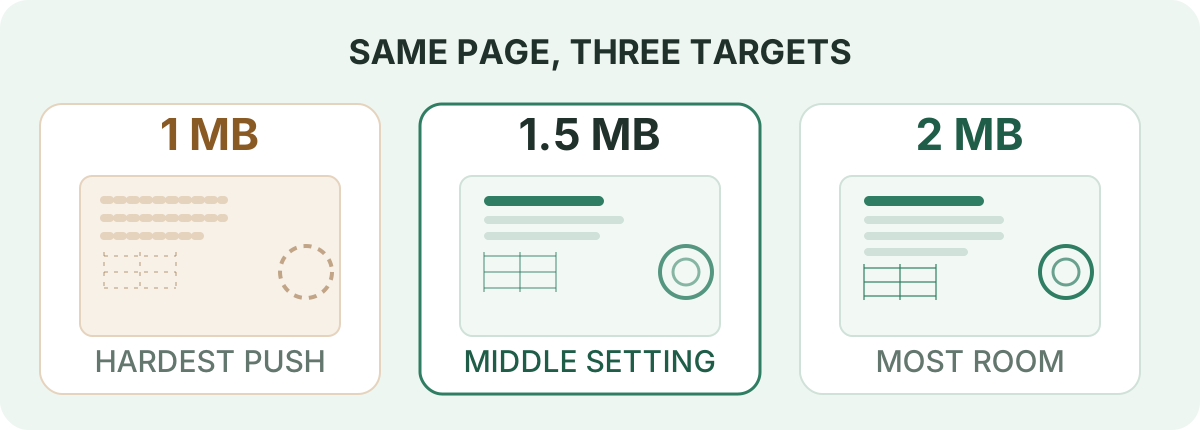
1.5 MB is a deliberate middle setting. It asks for a real reduction without forcing the compressor to work as hard as a 1 MB goal does, and it stays clear of a ceiling written as 2 MB. The trade runs in both directions. Against 1 MB it leaves the tool more bytes to spend, so photographs and scans can often be re-encoded at a gentler setting; against 2 MB it yields a smaller file to attach, upload or store. Which setting is right depends on two things you already know: the number the receiving service prints, and what is inside your document.
There is a mechanical reason for that, not just a numerical one. Target mode works through a short list of settings, starting with the gentlest, and keeps the first pass that lands under the ceiling. A roomier goal is normally satisfied earlier in that sequence, which means fewer pixels given up; a stricter one pushes the tool further down the list before something fits. 1.5 MB sits where many image-bearing documents stop between one and two rungs before they would have to at 1 MB. That is a description of how the passes are ordered, not a promise about your file: a mostly-text report can finish on the very first pass at any target, and a dense colour scan can run the list to the end and still miss.
1 MB, 1.5 MB and 2 MB side by side
The same document behaves differently under each ceiling, so read the pressure column as a tendency rather than a measurement — it depends on what the page actually contains.
| Target | Typical use | Compression pressure | When it makes sense |
|---|---|---|---|
| 1 MB | A tight upload ceiling, or the smallest file you can hand over | Highest of the three — the tool may have to work further down its settings list | The receiving form states 1 MB, or you need the document as light as it will reasonably go |
| 1.5 MB | A middle setting when 1 MB feels harsher than necessary | Moderate — often satisfied at a gentler pass than 1 MB needs | You want a genuine reduction but still expect photographs or scans on the page to read well |
| 2 MB | A roomier ceiling for documents with real image content | Lowest of the three — most bytes available to spend | The service allows 2 MB and the file carries photographs, maps or full-page colour scans |
How to Compress a PDF to 1.5 MB
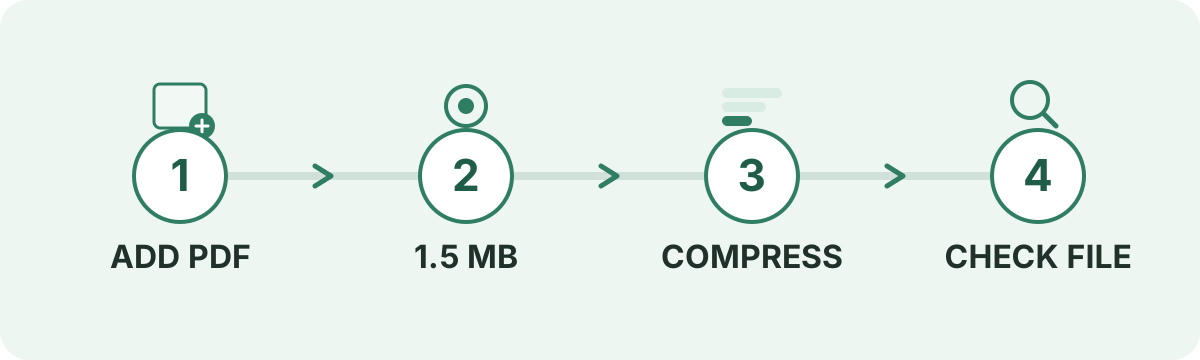
Nothing here needs configuring: this URL carries the 1.5 MB target, and the tool takes it from there.
- 1
Choose your PDF
Drop files on the panel above or press the button to pick one from your device. A batch works too.
- 2
Confirm the 1.5 MB ceiling
Target pages show no quality presets to fiddle with — the ceiling is the setting, and it is 1.5 MB.
- 3
Run the compression
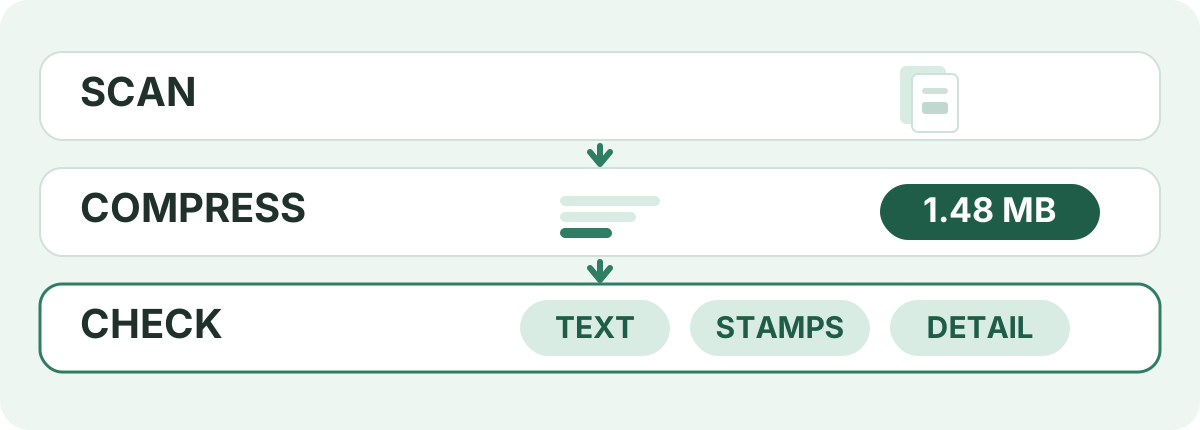
Each pass re-draws the pages in your tab; the first one that fits under 1.5 MB becomes your result.
- 4
Save it and look inside
Read the reported size and the reached-or-not note, then open the file and examine the pages you care about.
What Does a 1.5 MB Target Actually Mean?
It means a ceiling on the finished file, nothing more. Compression rewrites the PDF so the same pages occupy fewer bytes; it does not edit your text, move your images or drop a page. A 1.5 MB goal is normally chosen because something between you and your destination measures size — an upload field, a mail gateway, a storage quota — and the number in that measurement matters more than the label on it.
Here is the part people get caught by. “1.5 MB” is written one way and computed two: 1,500,000 bytes, or 1,572,864 bytes (1.5 × 1024 × 1024). This tool aims at 1,572,864, so its ceiling sits roughly 71 KiB above the decimal reading — a result that lands near the line here can still be refused by a checker doing the maths the other way. If the form you are filing in states 1.5 MB and you cannot afford a rejection, do not aim at the line: pick a target with room underneath it, such as 1 MB or 800 KB. And if the file is already below the ceiling, leave it alone — a PDF does not need to be inflated to “hit” 1.5 MB, and this tool hands an already-qualifying file straight back to you untouched.
Can Every PDF Be Compressed to 1.5 MB?
No target is reachable for every document, and 1.5 MB is no exception — though it is a friendlier ask than 1 MB for anything with pictures in it. What decides the outcome is the content:
- How many pages the document runs to, since every one of them contributes
- Whether the pages are typed text or photographs of pages
- How much resolution the embedded photos and screenshots carry
- How fine the detail in charts, maps and technical drawings is
- Whether whole font files were embedded or only the glyphs used
- How the PDF was produced, and whether somebody already squeezed it
The realistic spread looks like this: a 1.6 MB file needs a small trim and usually takes it without argument; a 5 MB report full of photos has plenty of compressible material and often lands comfortably; a 20 MB colour scan may have to give up a great deal and might not arrive at 1.5 MB at all. When that happens the tool does not fail silently — it hands back the smallest file it built, and the row beside your filename says “Target not reached”. Treat that as a measurement of the document, not a bug.
Difficulty examples when aiming at 1.5 MB
These are starting points for judging how much work a target implies, not compression ratios the tool will deliver. Two files of the same size can need very different amounts of work.
| Original size | Target | General difficulty |
|---|---|---|
| 1.2 MB | 1.5 MB | Already below the ceiling |
| 1.6 MB | 1.5 MB | Small reduction |
| 2 MB | 1.5 MB | Moderate reduction |
| 5 MB | 1.5 MB | Larger reduction |
| 10 MB | 1.5 MB | Significant compression |
| 20 MB or more | 1.5 MB | Depends heavily on content |
How the Engine Behaves on a 1.5 MB Target
You can judge the result better if you know what produced it. On this page the work goes like this:
- The file is read into the tab; each page is re-drawn at one of six settings and a new PDF is assembled from those images.
- The settings are tried gentlest first, and the pass that lands under 1,572,864 bytes is the one you get.
- A file that already sits at or below the ceiling comes back unchanged — no re-encoding at all.
- If none of the six settings fits, the smallest build is returned and the row reads “Target not reached”.
- Re-drawing a text-only page can make a file heavier, so the result is also compared against a plain re-save and the original, and the download is never larger than what you put in.
- Pages that come through the image path arrive without a text layer: selectable text and any scanner OCR are gone. Pages that come back from the plain re-save keep theirs.
Does 1.5 MB Preserve More Detail Than 1 MB?
Often, and for a structural reason: the two goals are satisfied at different points on the same ladder of settings. A document that only clears 1 MB on the fourth or fifth pass may already have cleared 1.5 MB on the second, and the earlier pass re-draws pages larger and encodes them less harshly. The catch is that this describes when the engine stops, not a quality guarantee — a file that clears both targets on the first pass comes out identical either way, and a file that cannot clear either comes back as the best it can do at whichever you chose.
Judge the outcome on the page rather than on the number. Zoom in to 100% or more and look at:
- Handwriting, faint pencil and anything printed at a small point size
- Seals, stamps and signatures that carry the document's authority
- Narrow table columns and hairline rules
- Dense plots, floor plans, maps and engineering drawings
- Full-bleed photographs, particularly faces and fabric
- Page numbering and footers that sit close to the edge
What Is Taking Up the Space?
A PDF is a box, and its weight is whatever you put in it. The size almost always comes from one or two of these:
- Camera- or print-resolution photographs left at full size
- Scans, which store every page as a flat image
- Screenshots and exported charts pasted straight onto the layout
- Embedded font files carrying alphabets the document never uses
- Cover drafts, blank sheets and duplicate pages left behind
- Layered artwork, soft shadows and gradient fills
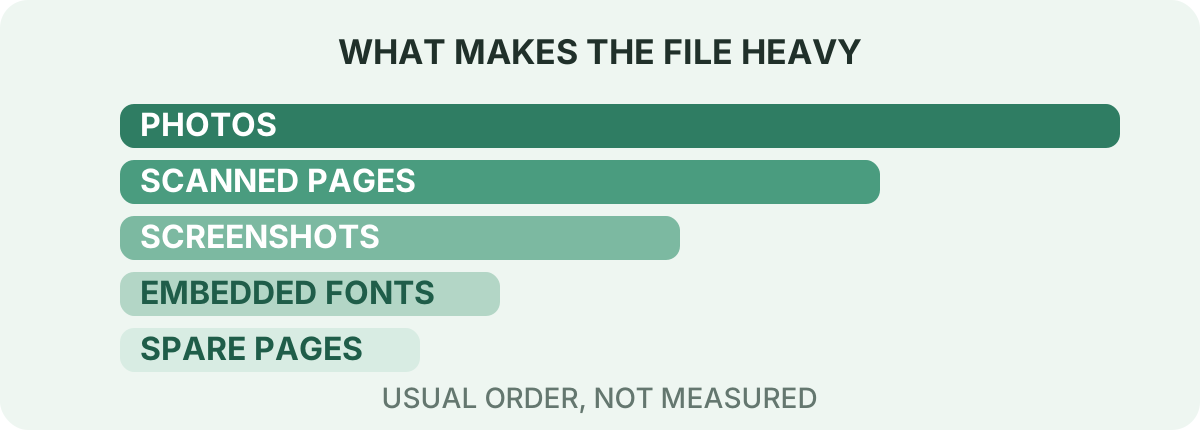
To find your own biggest contributor, compress a copy and watch how far it falls. A large drop points at images or scans. A barely-moving result means the file is mostly text and close to the smallest it can get while keeping every page.
How to Get a PDF Under 1.5 MB
The tool can only work with the material it is handed, so trimming the document first usually beats squeezing it twice:
- Delete pages you do not need in your PDF editor before compressing — this tool keeps every page it is given
- Re-export large photographs at screen resolution rather than print resolution
- Crop wide margins and blank page areas so each sheet holds less
- Rescan in grayscale when colour tells you nothing
- Compress once, read the size, and resist re-running it repeatedly on the same output
- If the number still matters more than the detail, drop the ceiling to 1 MB or 800 KB instead of pushing the same file through again
1.5 MB for Scanned PDFs
Scans are the least predictable category to size, because a scan is a photograph wearing a page border. Ten crisp black-and-white sheets can weigh less than a single colour magazine page. Image data is also what gives back the most when re-encoded, so scans are frequently where a 1.5 MB target is reachable when a text document of the same size is not — but the margin depends entirely on resolution and page count. A scan also loses more than size on the way through: rebuilding a page as a picture takes its text layer with it.
- Searchable and selectable text does not survive the image path — including OCR the scanner added
- Handwriting and light pencil go first when an encoding gets harsh
- Signatures, seals and stamps are the details worth confirming before submission
- Grayscale or black-and-white rescans leave the tool far more room per page
- Splitting a long booklet into two files often clears a per-file ceiling a single PDF cannot
Why Is My PDF Still Over 1.5 MB?
Because the document could not give up that much without damage. The engine tried every setting it has and returned the lightest result it produced. The usual contributors to that outcome:
- A long file where each page adds its own weight
- Full-page photographs or high-resolution colour scans
- Dense maps, drawings and layered graphics
- A PDF that was already optimized before you arrived
- Content with so little redundancy that further squeezing changes nothing much
Next steps in the order worth trying: cut pages you can spare, lower the source image resolution, rescan in grayscale, split the document, then compress again. Only after that consider a stricter target such as 1 MB. If the file still sits above 1.5 MB, you are near its practical floor — the remaining options are to send it at its current size, share a link, or drop the pages that are making it heavy.
Compress PDF to 1.5 MB on Mobile
This runs from the browser on your phone, so there is no app to install — and because the work happens on the handset itself, a file that behaves sensibly on your desktop behaves the same way here, without having to leave the device to get smaller:
- Open this page in Chrome on Android or Safari on iPhone
- Tap the panel and reach the file through Files, Downloads or your cloud drive
- Leave the 1.5 MB target alone and start the run
- Keep the tab in view and the screen awake — a long scan is slower on a phone than on a laptop
- Save the result, then check its size and open the pages before you attach it anywhere
Is Compressing to 1.5 MB Here Private?
On this page the document stays put. Your browser reads the PDF, redraws its pages, assembles the smaller file and offers it back as a download — no account behind it, no processing queue, and no remote copy sitting somewhere for somebody to delete later. Once the tab goes, the data in memory goes with it.
That is the relevant property for identity documents, contracts, statements and clinical records. It is also checkable: open developer tools, select the Network panel, compress something and the PDF will not show up in it as an upload. The site is served over HTTPS, as any page on it is. Beyond that, describe this as a local tool rather than a vault — it does what your browser can do, and nothing your browser cannot.
When Is 1.5 MB the Right Compromise?
It tends to be the deliberate choice when the situation has both of these features — a size ceiling that is not tiny, and a document with images worth keeping:
- You must come in under a stated 2 MB and want margin rather than a near-miss
- A 1 MB result came back too soft for the photographs or stamps on the page
- The submission is an application, tender or report that carries scanned attachments
- A portfolio, property listing or lesson pack is full of pictures but still has to be emailed
- Storage or a metered connection makes 2 MB uncomfortable and 1 MB too rough
- You want a smaller file than the original without pushing every page to its limit
None of that makes 1.5 MB a special number in the abstract. Nothing in this repository says a particular portal, school or CMS requires it, and no ceiling belongs to the PDF format — they belong to whoever receives the file. Take the figure from the form in front of you, then choose a target with enough space beneath it that a different way of counting bytes cannot reject you.
Ready to compress your PDF to 1.5 MB?
Put the file in the panel above, where the 1.5 MB target is already set, run the compression, and read back both the size and the reached-or-not note before you open the pages you cannot afford to lose detail on.
Start compressingFrequently asked questions
How do I compress a PDF to 1.5 MB?
Add your PDF to the panel at the top of this page, leave the 1.5 MB target alone and start the run. When it ends, read the size printed beside the file and the note saying whether the target was reached, then download.
Why pick 1.5 MB instead of 1 MB?
Because 1 MB forces the engine to work harder. The settings are tried gentlest first and the pass that fits the ceiling wins, so a roomier target is usually met earlier in that sequence — which generally means photographs and scans are re-encoded less harshly. Pick 1 MB when the destination demands it.
Why pick 1.5 MB instead of 2 MB?
When 2 MB is the ceiling you have to stay under, aiming at 1.5 MB leaves about half a megabyte of margin, so a stricter way of counting bytes cannot reject you. It is also a smaller file to email, upload or store. Choose 2 MB when the service genuinely allows it and the document has a lot of image detail.
Can I compress a 2 MB PDF to 1.5 MB?
Usually. That is a modest reduction, and a file with any image material in it normally has enough to give back. A 2 MB document that is already tight may come back only slightly smaller, which the result note will show honestly.
Can I compress a 5 MB PDF to 1.5 MB?
Often yes, particularly if the extra weight is photographs or scans. A 5 MB file made mostly of typed text has less redundant image data to surrender and may finish above 1.5 MB — in which case the row beside your file reads “Target not reached”.
Can I compress a 10 MB PDF to 1.5 MB?
It depends heavily on what is in those pages. Files built from images frequently reach 1.5 MB; long high-resolution scans sometimes cannot. Removing pages or rescanning in grayscale are the two changes that move the number most.
Can a scanned PDF be compressed to 1.5 MB?
Scans hold the most compressible data, so they are often the easiest large files to bring down — but page count and scan resolution decide everything. Check handwriting, signatures, seals and stamps afterwards, and remember that a rebuilt page is an image rather than searchable text.
Will compressing to 1.5 MB reduce quality?
Sometimes, in specific places. Text and line art usually survive looking the same because they cost so little to store. Photographs and scans are where a hard pass shows: softer small print, ragged stamp edges, thin table rules breaking up. A 1.5 MB target lets the engine stop earlier than 1 MB would for many documents, which is exactly why people choose it.
What happens if my PDF is already below 1.5 MB?
The tool returns it exactly as it was, without re-encoding. Nothing needs to be done to a file that already fits, and there is no reason to grow one to match a ceiling.
Why is my PDF still above 1.5 MB after compressing?
Every available setting was tried and none got the file under the ceiling, so you received the lightest one. Long documents, high-resolution images, detailed drawings and files that were already optimized are the common reasons. Removing pages, re-exporting images smaller or splitting the file are the fixes that actually move it.
Can I compress a PDF to 1.5 MB on my phone?
Yes — this is a web page, so Chrome on Android and Safari on iPhone both run it, with nothing to install. Choose the file from device storage, let it work with the tab open, and save the result back to your files.
Does compression affect searchable or OCR text?
It can. When pages come back through the image path they are pictures of pages, so text is no longer selectable or searchable and a scanner's OCR layer is dropped. Pages that come back through the plain re-save keep their text layer. If you need to search the finished PDF, check the downloaded file before relying on it.
Are my documents uploaded to a remote server to reach this target size?
No. All target-size analysis, rasterization passes, and PDF rebuilds happen locally inside your web browser. Your private documents never leave your device.
Sources & further reading
Standards, official documentation, and technical references behind the guidance on this page.
- PDF 32000-1:2008 — Portable Document Format — Adobe / ISO
- File API — MDN Web Docs
- WebAssembly specification — W3C WebAssembly Community Group